Build Artifacts
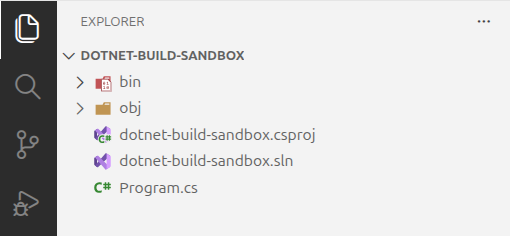
Our explorer pane should now look like this:
Understanding the Build Output Directories
We now have two new directories.
| Directory | Description |
|---|---|
| bin | Contains the final output of compilation. This is what we will use to run the application. |
| obj | An intermediate working directory for the build system. Contains downloaded NuGet packages, generated code, and partially-compiled artifacts. Not meant to be used directly. |
Understanding the Build File Types
Let's look at two significant file types that were created.
| File Type | Description |
|---|---|
| .dll | These are assemblies. One assembly is created per project. Assemblies may either be the executable itself, or a supporting library that is referenced by the executable. |
| .pdb | These files contain debug symbols that the debugger uses to map the compiled code to the source code. |
The dotnet build command creates a version of the application that is suitable for development use, but does not include the final artifacts that will be deployed as part of the released application.
Project and Solution Files
We will go into detail about what the .csproj and .sln files are and how they are used in a later chapter.